Android Mode
In this mode, GetFlv will emulate an Android browser to play your video. Your video stream will be played through the HTTP protocol if the website is Android compatible. GetFlv will detect the http video URL automatically and download them for you.
1. Switch to the Android kernel
Launch GetFlv and switch the browser to the Android Kernel.
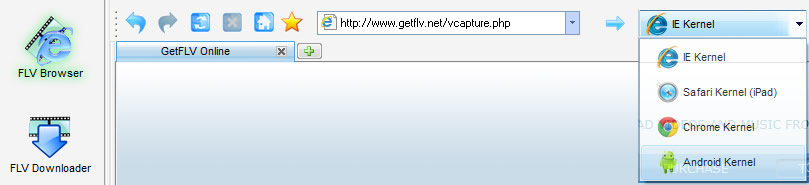
You should download and install the
latest browser filesto enable this function.
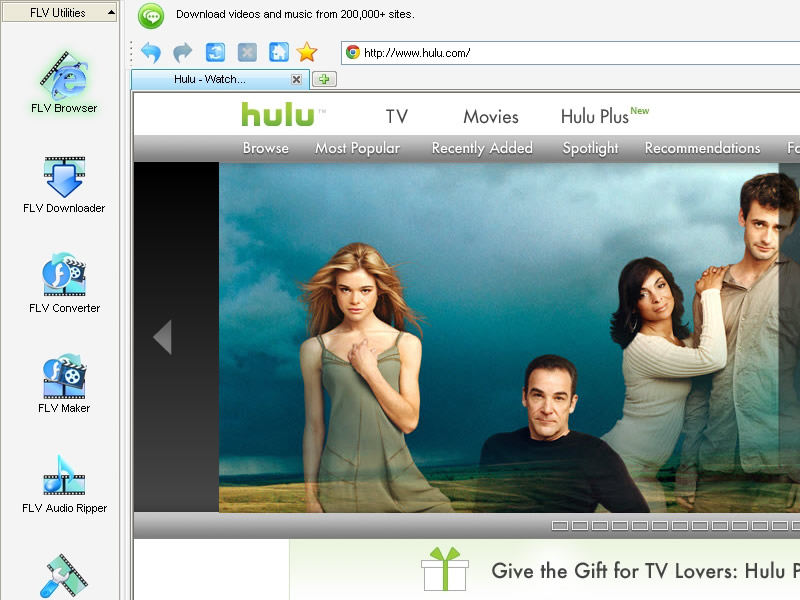
2. Navigate to the target website
Play the video stream you want to download on the web page.
3. Choose a video to be downloaded
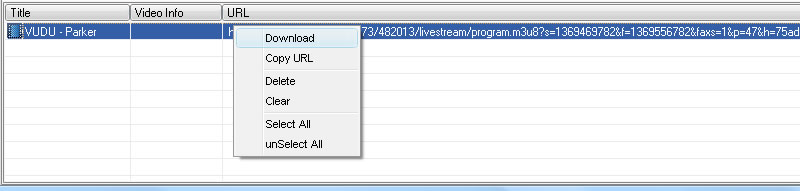
GetFlv will detect the HTTP video URL automatically and show it in the URL list. Select the URL in the URL list section and click the Download menu item to create a download task.
4. Manage download tasks
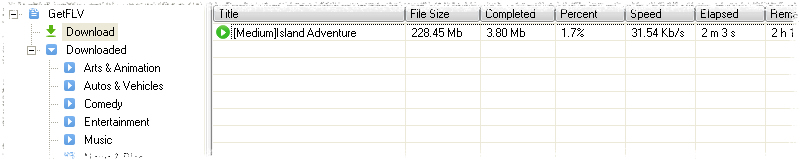
In the FLV Downloader window, you can monitor the process of the download. GetFlv can download your video at up to 10x normal download speeds.
You can watch your video while it's still downloading through GetFlv's built-in player. For the stopped tasks, you can also resume them.
5. Post download
Once downloading starts, you don't need to watch what you're downloading. You can stop watching or listening, leave your website, and go play something else to download. Downloading will continue automatically.